CORTAN Connect
See the software behind the service.
Requests, appointments, field work, approvals, and service records for your business and its existing customers.
View the workflow walkthroughProduct screens use example data.
Follow a request through the business.
See what the customer submits, how the office assigns the visit, and what the technician uses in the field.
Includes work approval, completion, payment state, and service history.

Technician workspace
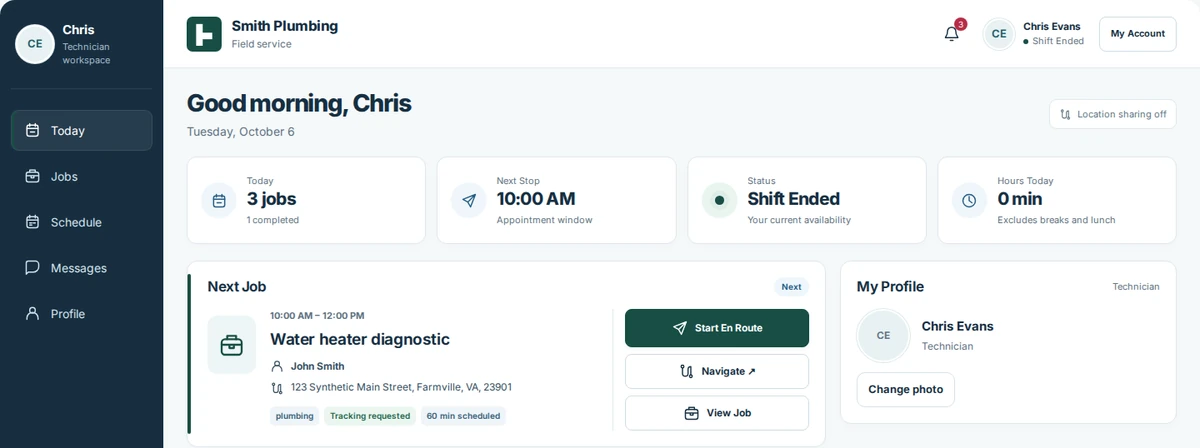
See the next job and arrival details.
The field team can review assigned work, the next appointment, and customer instructions before arriving.
- Today’s jobs & next stop
- Job details & navigation
- Customer arrival instructions
- Shift & availability controls
See the customer instructions before a visit
Read the instructions before arrival.
Property access, pets, visit preferences, and accommodations stay with the appointment. These instructions are provided by the customer.
View the complete dashboard screenshot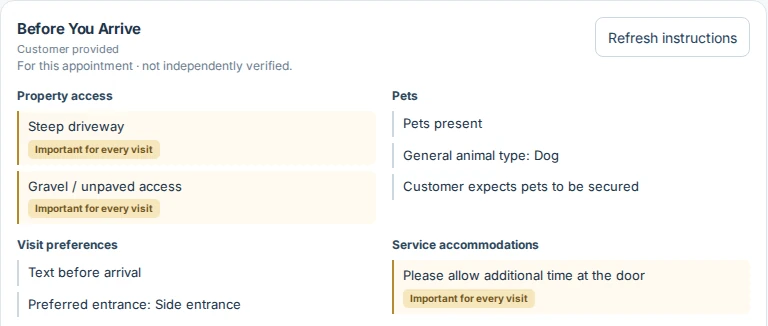
Customer portal
Keep the contractor’s identity primary.
Customers return to their business’s branded portal for appointments, requests, and service records. Properties remain connected to preferred providers.
Explore the customer experience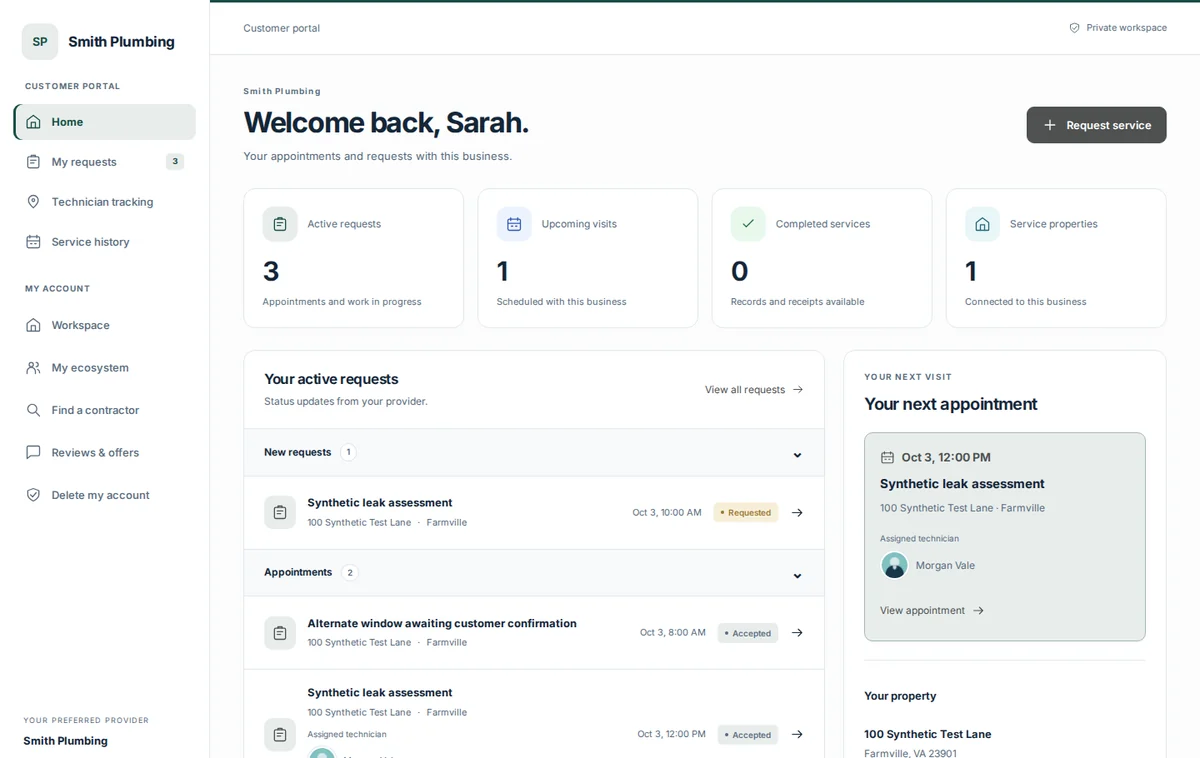
Product screen library
Open a screen for a closer look.
Actual application captures with demo data. Each viewer has a link back to this page.
Contractor screens
Technician screens
Customer screens
Payments & approvals
Discuss CORTAN for your operation.
Tell us your trade, service area, and team size. We’ll review your application and discuss onboarding.