CORTAN Connect for contractors
Your customers. Your pricing. Your brand.
Manage requests, assign visits, send work proposals, and retain service records. Customers use your branded portal; you set your service prices.
See It in ActionCORTAN Connect for your business.
Choose the way you work.
Daily operations
See the work. Assign the team.
Review requests and confirmed appointments, choose the technician or crew, and keep assignment details with the job. Set recurring availability, service areas, and dates your business is unavailable.
- Requests & job status
- Technician assignments
- Service territories
- Weekly availability
- Unavailable dates
- Employee access

Product screens use example data.
Technician workspace
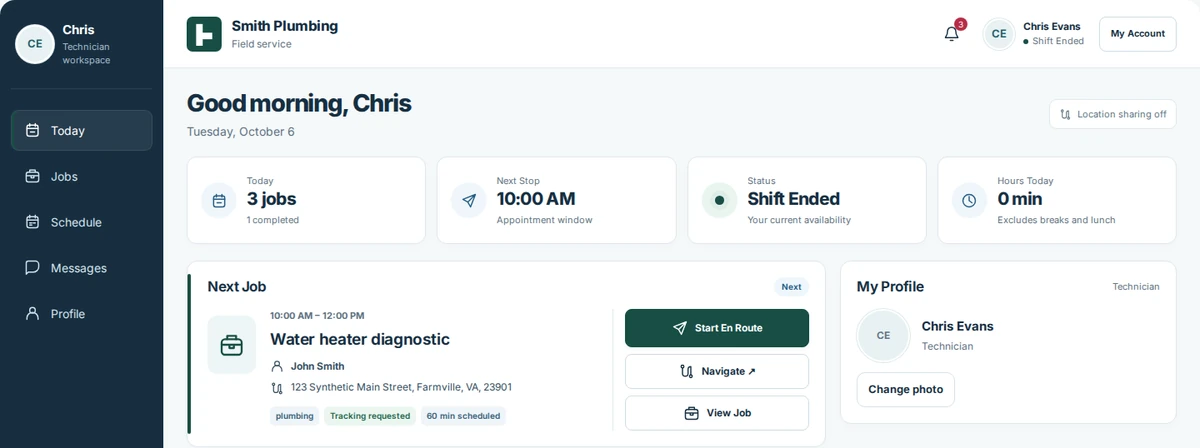
See the next job and arrival details.
The field team can review assigned work, the next appointment, and customer instructions before arriving.
- Today’s jobs & next stop
- Job details & navigation
- Customer arrival instructions
- Shift & availability controls
See the customer instructions before a visit
Read the instructions before arrival.
Property access, pets, visit preferences, and accommodations stay with the appointment. These instructions are provided by the customer.
View the complete dashboard screenshot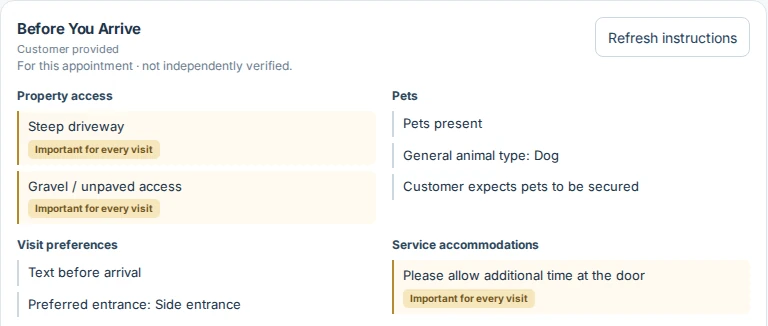
Your customer experience
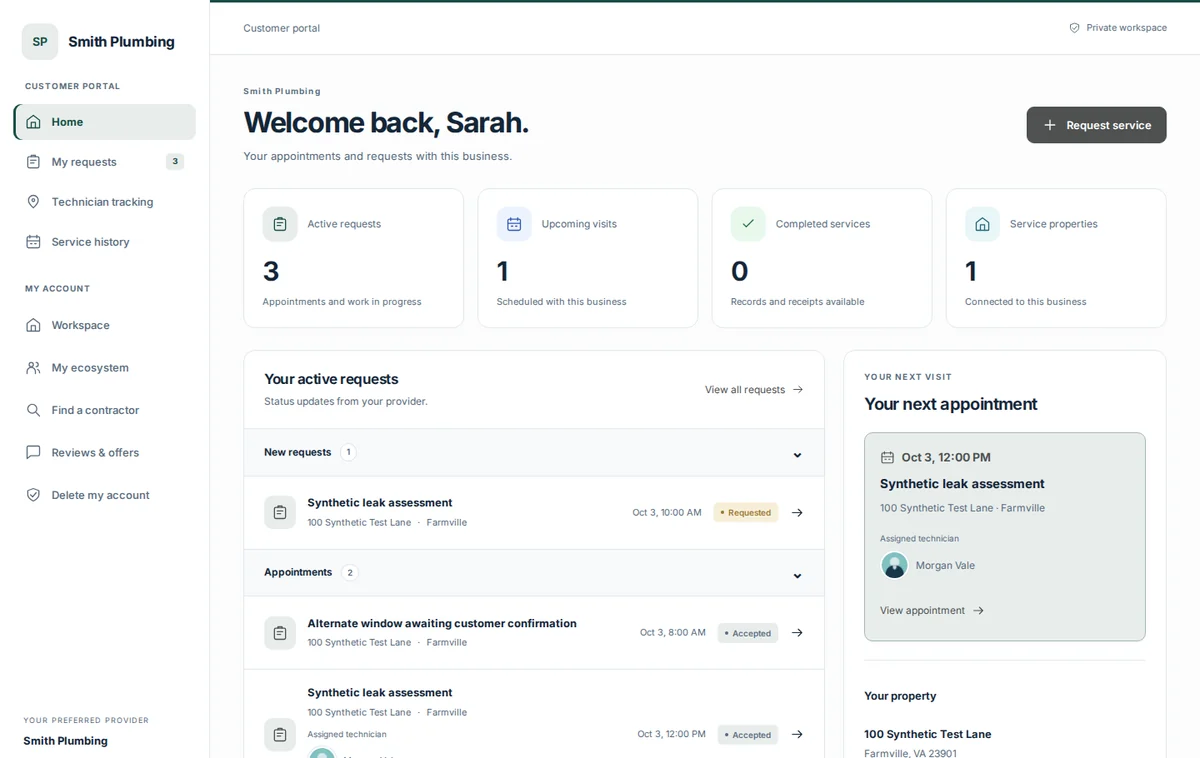
Customers return to your branded portal.
Use your business identity and portal styling. Invite existing customers and keep their requests, properties, service history, and preferred-provider connection organized.
- Business branding
- Customer invitations
- Public booking setup
- Property & service records
Your customers stay your customers.
Customers connect to the business they already chose. Their requests, approvals, payments, and service records stay connected to that relationship.
If your contractor is unavailableCustomer-approved CORTAN Coverage → Temporary service → Your preferred provider remains yours.
We do not resell your existing customer relationships as leads.
Understand the preferred-provider modelCoverage depends on provider availability, customer consent, and participation terms. It is not an emergency-service guarantee.
Contractor questions
What stays under your control?
Are these still my customers?
Yes. CORTAN Connect is built around your existing customer relationships. CORTAN does not resell them as leads to competing contractors.
Who sets my prices and diagnostic fees?
You set your diagnostic and service-call prices, including supported same-day or emergency options. Your additional-work proposal presents your scope and price for the customer to authorize.
What happens after diagnosis?
Document the issue, explain the recommended work, and send the price. The customer can review the proposal, ask a question, approve it, or decline. The service record retains the outcome.
How do payments and payouts work?
The application separates diagnostic authorization, additional-work approval, payment state, and service records. Payment methods, onboarding requirements, fees, and payout terms are confirmed during business setup.
Do customers still need to call?
Customers can use a structured digital service request. Your business remains responsible for its service operation and can continue to communicate directly with customers.
Is CORTAN replacing my accounting software?
No. CORTAN records the service transactions associated with its workflows. Accounting integrations are planned for a future release.
What about maintenance memberships?
Contractor-defined recurring memberships are a future product direction. Pricing, entitlements, and release timing are not finalized.
What if I am unavailable?
Coverage requires customer approval, an eligible provider, and available service capacity. Temporary service does not automatically replace the customer’s preferred provider. Public availability is not guaranteed.
Bring your customers onto CORTAN Connect.
We’re starting with appliance repair and plumbing. Other service trades can use the same application.